
How to create a content agent (WriterAgent) in Laravel using Laragent.ai


production-backends
how can I embed an LLM agent in Laravel so that it is manageable, scalable, and ready for growth?
Laragent.ai
agent-layer
how to assemble a WriterAgent in practice
What are we going to build
WriterAgent
forms the structure of the content
writes a text
adds CTA and meta data
generates a prompt to illustrate
saves the result to the admin panel
He doesn't just respond with text

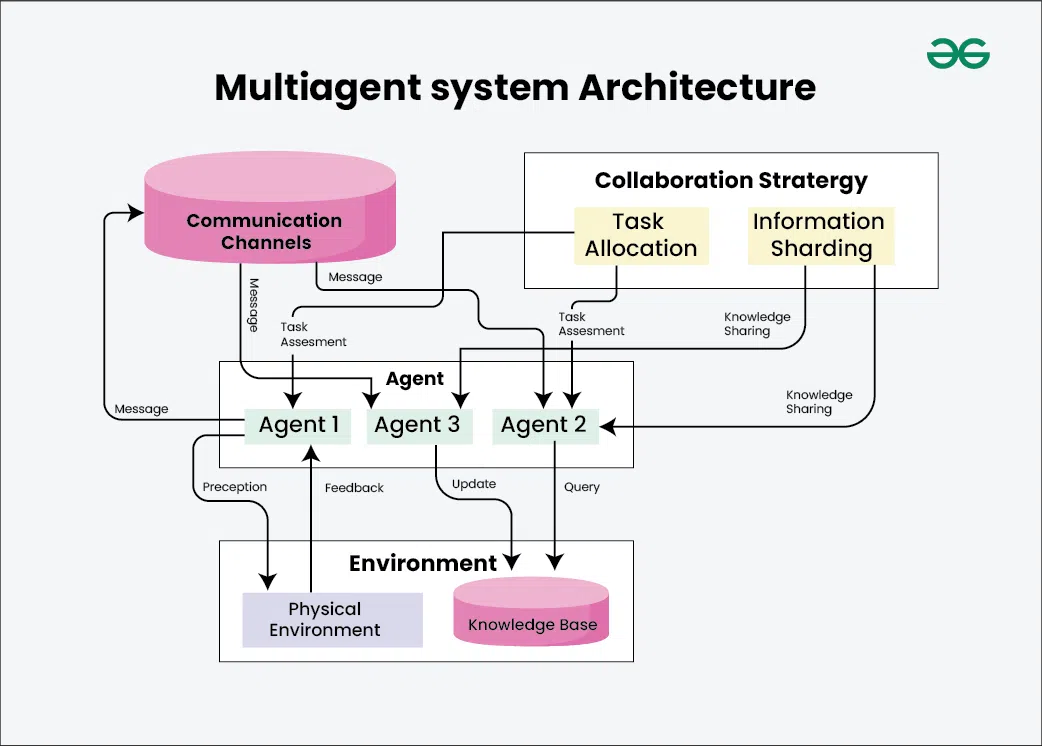
Architectural model Laragent.ai
Laragent.ai It relies on 4 basic roles:
| Role | Meaning |
|---|---|
| Agent | logic and the role of AI |
| Tool | actions in your application |
| Memory | context and knowledge |
| Orchestrator | execution scenario |
It is this model that allows us to move away from "magic chains" and move to a managed architecture.
Step 1. Installation and basic integration
inside the app
After installation, you get:
infrastructure for agents
LLM single point of call
the tools (function calling) mechanism
hooks and lifecycle events
This immediately makes the agent part of the backend logic, rather than a "side chatbot."
Step 2. Create a WriterAgent (Agent role)
An agent is a class that answers a question:
Who are you and by what rules do you work?
For WriterAgent, this is usually:
Role: content performer
Style: brand, tonality, prohibitions
Response format: strictly structured
Strategy: don't ask questions, but use tools
An example of the concept:
always returns JSON
Doesn't make up facts
if there is not enough data, use the tool
publication-oriented, not "draft-oriented"
This immediately distinguishes a production agent from a regular LLM chat.
Step 3. Tools — Agent communication with business logic
the active component of the system
The minimum set of tools for WriterAgent
Getting the brand context
SEO brief
Quality control
Saving a draft
draft_idPublication (optional)
He doesn't know
what tools are available?
Step 4. Memory — Context management
In Laragent.ai memory is not rigidly imposed, and this is a plus.
It is logical for WriterAgent to divide the memory into levels:
1. Session memory
2. Project memory
3. Knowledge memory (RAG)
Step 5. Orchestrator — the agent's work scenario
managed pipeline
Basic workflow WriterAgent
Get a brand context
Get an SEO Brief
Generate a plan and theses
Generate Text
Check the quality
Refine it if necessary.
Save the draft
Return a structured result
Every step:
logged
can be repeated
measured by time and cost
This is critical for SaaS and scaling.
Result format: not text, but structure
data
{
  "title": "...",
  "outline": [
    { "h2": "…", "h3": ["…","…"] }
  ],
  "article": "...",
  "cta_blocks": [
    { "position": "after_h2_2", "text": "..." }
  ],
  "meta": {
    "description": "...",
    "tags": ["..."]
  },
  "image_prompt": "...",
  "draft_id": 42
}
This format:
it is easily displayed in the admin area
easily editable
suitable for API
ready for auto-publishing
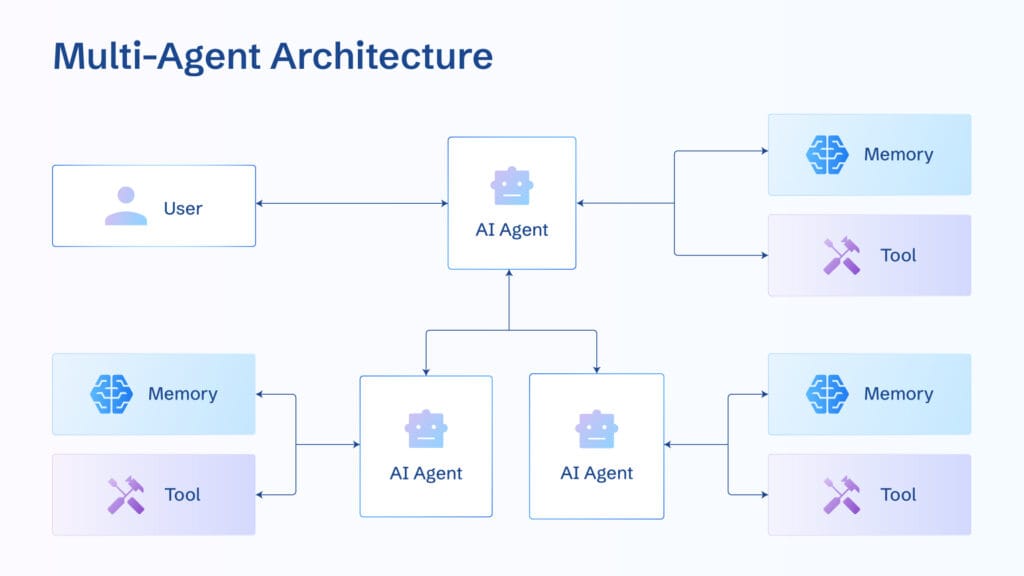
How a multi-agent system grows out of WriterAgent
the architecture does not change
When the WriterAgent becomes a bottleneck, you add:
PlannerAgent is just a structure
EditorAgent — style and abbreviation
FactCheckerAgent — facts and sources
PublisherAgent — publishing and analytics
Multiple agents
Why not Laragent.ai — the right choice for the future
Laravel-native
API-first
without vendor lock-in
focused on agents, not chains
It can be easily integrated into existing WEB services.
Result
Laragent.ai
create a production content agent in Laravel
embed it in the admin panel or SaaS
manage quality, cost, and logic
switch to a multi-agent system without rewriting
think not in terms of “LLM responses”, but in terms of processes and roles.
 Автор
Антон Амосов
Автор
Антон Амосов


