How to automate Customer Responses: a Practical Business Plan


Content:
- Why automate responses to clients?
- What tasks can be transferred to automation?
- Which communication channels are best suited?
- Automation tools and scenarios
- How to preserve humanity in automatic responses
- Typical implementation errors
- How to measure automation efficiency
- Step-by-step implementation plan
- Results
Why automate responses to clients?
Automating customer responses has long ceased to be a luxury for large companies. Today, it is a practical tool that helps businesses respond faster, more accurately, and more consistently, without overloading the team with the same type of requests. When managers answer the same questions day after day about delivery dates, payment methods, return conditions, or order status, the company spends expensive human resources on routine rather than solving really important tasks.
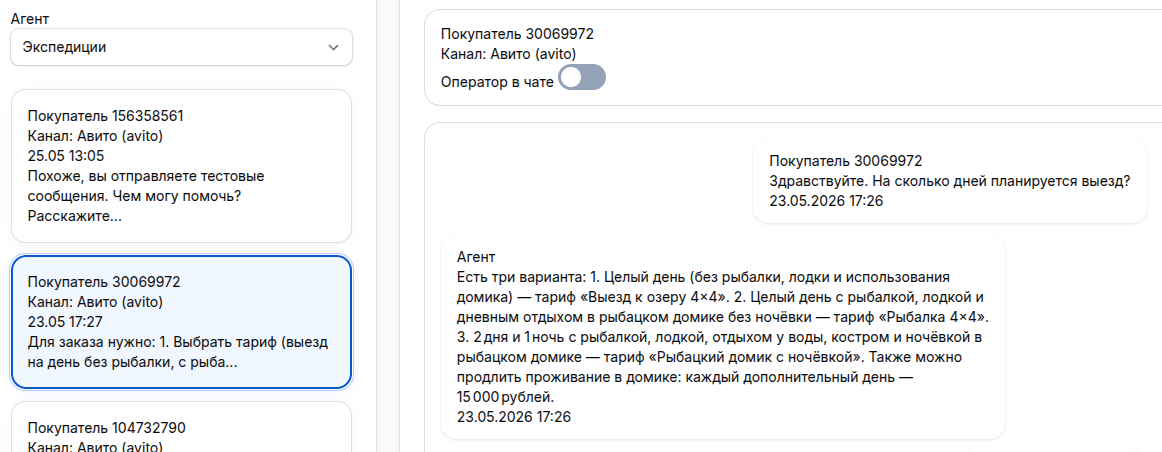
Automatic responses allow you to reduce the first reaction time, and this is one of the key factors of customer loyalty. If a person writes to a messenger, website, or email, they do not expect silence, but a clear and quick response. Even a simple confirmation of receipt of a request already reduces the client's anxiety and shows that the company is in touch. In highly competitive conditions, the winner is not always the one with the best product, but the one with whom it is easier and faster to interact.
There is also an internal benefit for the business. Automation makes communication predictable: responses become uniform, employees make fewer mistakes, and new managers get involved faster. In addition, time is freed up for more complex dialogues: negotiations, claims processing, pre-sales, and support for large clients. In other words, automation does not replace the service, but gives it a foothold.
Well-configured automation does not alienate the customer. On the contrary, it removes pauses, chaos and the feeling that the company has "disappeared" after the appeal.
What tasks can be transferred to automation?
The first rule of implementation is simple: it's not worth automating everything, but first of all repetitive scenarios. If the same question comes up dozens of times a week, it's almost an ideal candidate for templates, chatbots, auto-replies, or routing logic. For example, you can automatically respond to inquiries about opening hours, prices, product availability, delivery options, payment methods, refund rules, and application status.
The second type of task is the primary qualification of the application. The system can specify exactly what the customer needs, in which city they are located, what product they are interested in, whether they are applying for the first time, and how urgent the issue is. This data saves the manager time and allows you to immediately transfer the dialogue to the right specialist. As a result, the client does not have to repeat the same thing several times, and the team works faster.
The third important block is service notifications. Automation does an excellent job of confirming an application, reminding you about an appointment, notifying you about a change in order status, and asking you to evaluate the quality of service after the transaction is completed. Such messages keep in touch with the client without the constant involvement of employees.
- High suitability for automation:
- Partial automation:
- It's better to leave it to the person:
It is important to understand the border. If a question requires empathy, context analysis, or a flexible solution, automation should not close the topic, but quickly transfer the client to a specialist.
Which communication channels are best suited?
Not all channels are equally convenient for automation, so you should start with those where there is already a stream of typical requests. In practice, chat on the website, instant messengers, e-mail and contact forms are most often automated. This is because it is easier to embed rules, patterns, and response sequences in these channels.
The chat on the site is suitable for quick reaction and initial capture of the lead. Welcome scenarios, answers to popular questions, and clarifying blocks like "Do you want to know the price, submit a request, or get advice?" are appropriate here. Speed is important in messengers: the client writes in a familiar environment and waits for an almost instant response. That's why auto-replies, bots, and push-button scripts work especially well.
Email remains useful for formal confirmations, sending instructions, business proposals, and lengthy explanations. Automation here may include notification of receipt of a letter, automatic sorting of the subject of the request, and launching the desired chain. If a company works with incoming leads through a website, it is also worth automating messages after filling out the forms: confirmation of sending, a guideline on the response time, and the next step.
Telephone support is also amenable to automation, but requires more care. Voice menus and IVR scripts are useful if they really help you get to the right specialist quickly. If the client is forced to listen to a long list of items, the impression of the service worsens. It is especially important here not to overdo the logic and not turn the path to the live operator into a quest.
Automation tools and scenarios
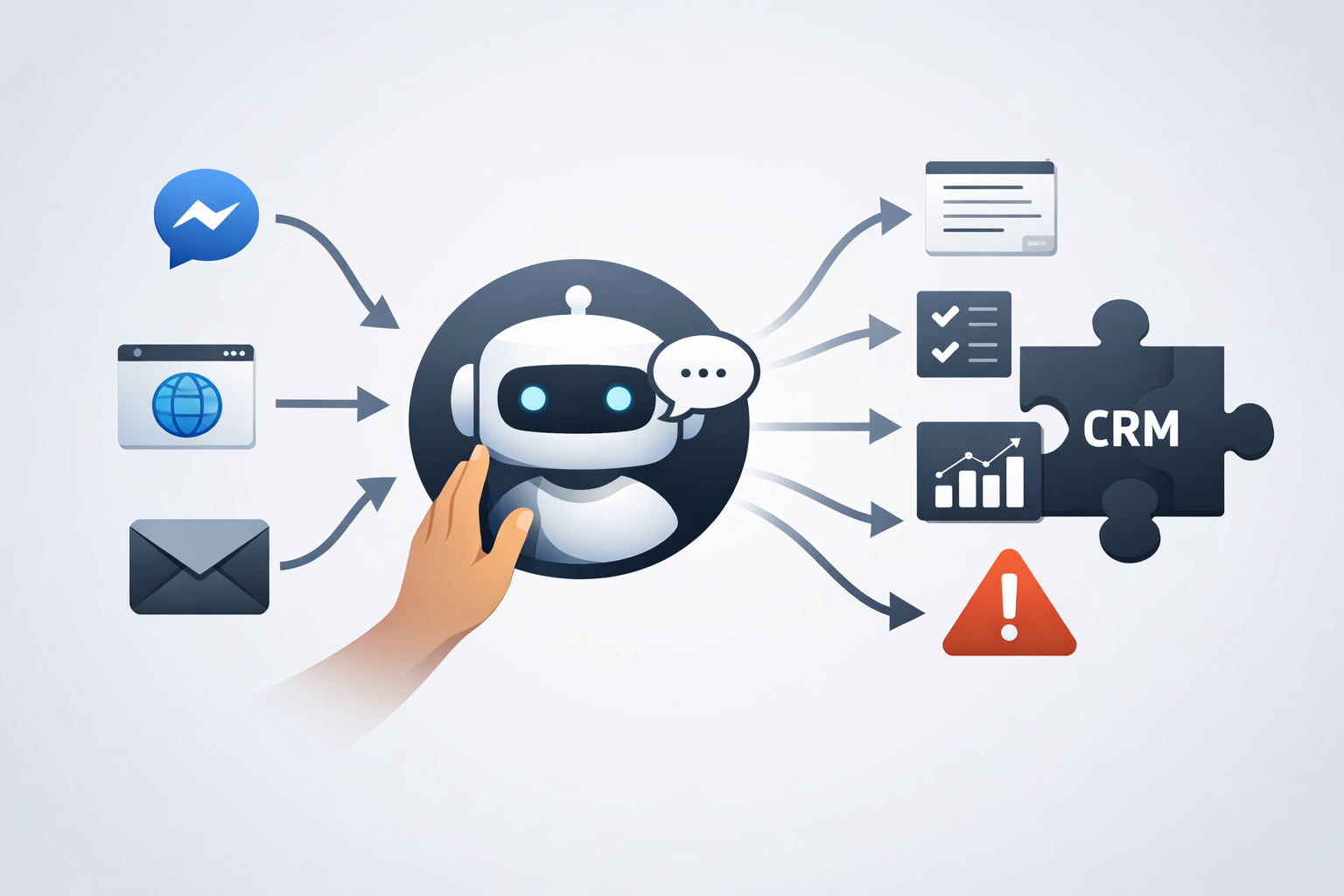
In practice, automation consists of several levels. The most basic ones are templates and quick responses. This already gives a tangible result: the manager does not type the same thing manually, and the client receives a neat and uniform response. The next level includes answering machines and rules that are triggered when a certain event occurs: an incoming email, a request from a website, a message in a messenger, or a change in the order status.
A more mature level is chatbots and intelligent scenarios. They don't just send a predefined text, but guide the client through the dialogue branches. For example, a bot can determine the type of request, collect contact information, suggest options for action, and, if necessary, transfer the conversation to the manager with the context already filled in. This is especially useful in companies with a large incoming flow, where it is important not to lose access during rush hours.
CRM systems play a separate role. CRM is a customer relationship management system that stores the history of contacts, transactions, and tasks. When automation is linked to CRM, responses become not just fast, but contextual. The system can take into account whether this is a new or a regular customer, at what stage the transaction is, whether there have been any previous requests, and whether there are overdue tasks. In this form, automation transforms from a set of templates into a full-fledged maintenance mechanism.
Conditionally, scenarios can be divided into three categories: reactive, proactive and mixed. The reactive ones respond to incoming calls. Proactive ones initiate communication themselves, for example, they remind you of an appointment or remind you to complete a payment. Mixed approaches combine both approaches, when the system first reacts to the client's action, and then leads it along the chain to the desired result.
How to preserve humanity in automatic responses
One of the main reasons for distrust of automation is the fear of soulless communication. Indeed, if the answers sound like dry protocols, and the bot does not understand the obvious context, the client quickly gets annoyed. Therefore, not only technology is important, but also script editing. The text of automated messages should be clear, friendly and respectful. It doesn't have to be unnecessarily "conversational", but it should sound human.
A good auto-reply doesn't just tell you the fact, it reduces uncertainty. Instead of saying "Your request has been accepted for processing," a clearer version works better: "Thank you, we received your message. We usually respond within 15 minutes during business hours." Such a phrase gives a person an expectation, and expectation is part of the service. If you immediately identify the next step, the client feels in control of the situation.
Another principle is to always leave a path to the person. Even the most convenient scenario will not cover all possible cases. Therefore, in automated communication, there should be an explicit and simple way to switch to a specialist: a button, a command, a menu item, a promise of connection in case of a complex issue. This is especially important at emotionally sensitive points: complaints, cancellations, payment problems, or delays.
Humanity is also achieved through personalization. If the system knows the customer's name, the history of the last order, or the subject of a previous request, it can be used correctly. But a measure is needed here: personalization should help, not give the impression of obsessive observation. The best effect is achieved by simple things like using your first name, relevant next step, and not having to explain the situation again.
Typical implementation errors
The most common mistake is trying to automate the chaos. If a company doesn't have clear scenarios, a single database of responses, and rules for handling requests, automation will only accelerate the mess. First, you need to describe what a good process should look like: who is responding to what requests, what is considered urgent, when you need to involve a supervisor, what formulations are acceptable and which are not.
The second mistake is an excessive belief in the versatility of the bot. It is not uncommon for a business to expect that one tool will shut down all support, sales, and support. In practice, limited but well-established scenarios work better. One bot can perfectly collect primary information and route requests, but it can't handle objections or non-standard questions well. And that's okay.
The third mistake is the lack of quality control. Automation cannot be implemented and forgotten. You need to regularly look at where customers are "stuck", which questions are not recognized, at what stages people ask the operator, which formulations cause irritation. Without this feedback, scripts quickly become outdated. The market is changing, the product is changing, and customer behavior is changing, so the answers must be updated.
Finally, an overly formal tone becomes a mistake. When a company tries to sound "official," messages often come out cold and overloaded with paperwork. This is especially noticeable in instant messengers, where the client expects simple and lively communication. The closer the channel is to everyday communication, the more important natural language is.
How to measure automation efficiency
Automation brings value only when its results can be seen in numbers. The first basic metric is the first reaction time. If customers waited 30-60 minutes for a response before the implementation, and 1-3 minutes after, or an instant auto-reply with a clear script, this is already a strong improvement. The second metric is the percentage of requests that were closed without the employee's participation. It shows how much routine has been removed from the team.
The next level is the quality of service. Indicators of customer satisfaction, repeated requests on the same topic, and the number of escalations are useful here. If automation is poorly configured, people will more often ask the manager, ask the question again, or leave dissatisfied. If it is configured well, the client receives the necessary information quickly and without unnecessary stress.
It is also worth tracking business metrics: conversion from a request to an application, lead processing speed, employee workload, and the cost of processing a single contact. For example, if, after implementing the scripts, managers started processing 20-30% more dialogues without a drop in quality, this is already a tangible economic effect. And if the number of lost requests after hours has decreased, automation begins to directly affect revenue.
- Operational metrics:
- Client metrics:
- Business metrics:
Step-by-step implementation plan
It is better to start not by choosing a fashionable tool, but by auditing current requests. We need to collect statistics on which questions come most often, through which channels, at what time, and which answers employees send most often. Already at this stage, it usually becomes clear that a significant part of the dialogues is repeated. This is the area for the first wave of automation.
Next, you should create a database of responses and scenarios. Not just a set of phrases, but a structure: the type of request, the purpose of the response, the necessary clarifications, the next step, and the conditions of transfer to the person. After that, you can choose a platform: CRM, chatbot, email automation, website widget, or a combination of several solutions. What matters here is not the brand, but how well the tool integrates with the company's current processes.
The next step is a pilot launch. You don't need to automate everything at once. It is more reasonable to start with 3-5 of the most common scenarios: confirmation of a request, answers to popular questions, order status, routing to the right department, making an appointment for a consultation. After the launch, it is important to manually monitor the dialogues during the first weeks, correct the wording and remove unnecessary steps. Good automation is born not at the moment of configuration, but in the process of refinement.
When the pilot confirms the result, you can expand your reach: add new branches, personalization, customer segmentation, integration with the knowledge base and CRM. But even at the mature stage, the principle of transparency must be maintained: the client must understand what is happening, what to expect next, and how quickly, if necessary, to reach a live employee.
Results
Automating customer responses is not an attempt to hide a business behind a bot, but a way to make the service faster, more stable, and more convenient. It is especially effective where there are a lot of repetitive requests and it is important not to lose the client in the first minutes after contact. With proper configuration, the company reduces the load on the team, speeds up the processing of incoming traffic and improves the quality of communication.
The key to success is not in the number of scenarios, but in their relevance. It is necessary to automate routine, not live human participation where it is really necessary. The better a business understands the customer's path, the more accurately it can embed automatic responses so that they don't annoy, but help.
If you look at automation as part of the customer experience, rather than just as a technical function, it starts to work for trust. And trust, as you know, is built from small things.: the speed of the answer, clarity of wording, respect for the person's time and the feeling that his question is not lost in the system.