An AI chat for a site that increases applications
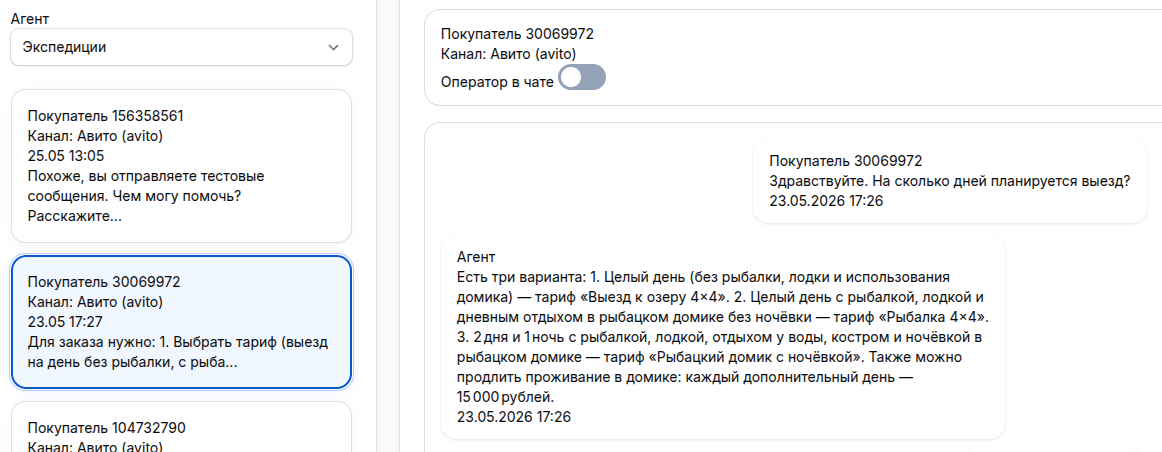
A visitor visits the site — an AI chat greets him, advises him, helps him choose and collects an application. 24/7, without delay and without hiring operators.
The client is not waiting. If there is no quick response or clear consultation on the website, the application goes to the competitors. The AI chat responds instantly, understands any questions, and transmits a ready-made dialogue with contacts to the manager.

Why do visitors leave without a request and how to fix it

Instant response
The visitor is not waiting. The AI chat is responsible for seconds, advises on prices, deadlines, conditions — without queues and waiting.

24/7 consultation
At night, on weekends and holidays, the AI chat works without interruptions. The user receives a response at any time.

The company's knowledge base
The bot responds only based on your data: prices, descriptions, instructions, FAQ. He does not invent prices and conditions.

Collecting applications in CRM
The bot collects contacts, qualifies the request and creates a deal in CRM. The manager receives a ready-made lead with the history of the dialogue.
AI chat features for the website
Online consultation
The AI chat helps you choose a product or service, explains the conditions, compares the options and leads the client to the application.
Collecting contacts
The bot collects your name, phone number, and e-mail. If the client has not left the data, it clarifies and records it before handing it over to the manager.
Lead Qualification
Determines interest, budget, and urgency. Submits only high-quality applications with full qualifications to the manager.
Transfer to the operator
If the question is complicated or the client asks for a human, the bot transmits the dialogue to the operator with a complete history of communication.
Integration with CRM
Automatic creation of transactions in Bitrix24, amoCRM and other systems. Without manual data transfer.
Request analysis
Dialog history, frequently asked questions, chat conversion, popular services, and bounce rates are all metrics in the dashboard.
How it works
Easy installation
Add the widget code to the website in 2 minutes. Suitable for Tilda, WordPress, OpenCart, Bitrix and custom sites.
Setup without programming
A visual script editor. Set up greetings, triggers, and qualification questions — all without a code.
Adapting to the brand
Customize the colors, fonts, logo, and welcome message. The widget looks like a part of your website.
How to install an AI chat on a website
Registration
Configuring the widget
Installation on the website
Launch
Cost
Start
AI agent for all channels (Max, Avito, website). CRM integration. 200 bonus credits per account (1 credit = 1 ruble). 7 days is free of charge.
1,000 ₽/month ChooseStandard
AI agent for all channels (Max, Avito, website). Integration with CRM. Imported models. Intelligent RAG knowledge base for storing large amounts of information. 1000 bonus credits per account (1 credit = 1 ruble). 7 days is free of charge.
5,000 ₽/month ChooseTurnkey integration
Full customization: scripts, knowledge base, widget design, CRM integration, employee training.
25 000 ₽The subscription includes a chat widget, an AI bot, and basic analytics.