AI chatbot in Max
Don't lose customers at Max until managers respond. The AI bot is responsible for seconds, advises on goods and services, collects contacts and transmits requests to CRM.
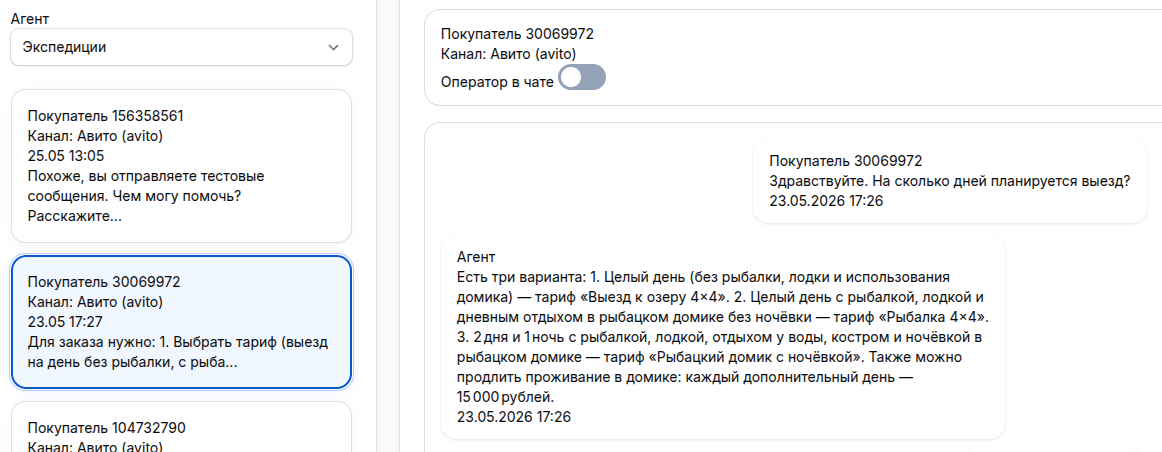
Clients write to the Max messenger — the bot responds instantly, understands free messages, qualifies requests and helps not to lose clients in correspondence. All requests are visible in a single interface.

Advantages of an AI bot in Max

Round-the-clock responses
The AI bot in Max responds at night, on weekends, and during rush hours while managers are busy or offline. Clients receive a response in seconds.

Understands free messages
Customers write in their own words — artificial intelligence understands the meaning, context, and responds to the company's knowledge base without harsh scenarios.

Qualification of applications
Specifies the need, budget, deadlines, and contacts before handing them over to the manager. Separates hot leads from casual hits.

Integration with CRM
Creates transactions, sends notifications, and saves data without manually transferring it from Max. Supports Bitrix24, amoCRM and other systems.
AI Bot capabilities in Max
Instant responses
The AI in Max responds to clients in seconds after the message. Advises on prices, deadlines, availability, conditions — without delay.
Product consultations
Helps you choose a product or service, explains the characteristics, compares the options, and leads the customer to purchase directly in the Max dialog.
Collecting contacts
Collects the name, phone number, e-mail, and task description. If the client has not left a contact, the bot clarifies and records the data.
Lead Qualification
Determines the customer's interest, budget, urgency, and willingness to purchase. Sends only high-quality applications to the manager.
Sending the dialog to the manager
If the question is complicated or the client asks for a human, the bot transmits the dialogue to the operator along with the full history of communication.
Dialog analysis
The dialog history helps you see common questions, weaknesses in sales, popular services, and reasons for rejections.
How it works
Safety and compliance with 152-FZ
Encryption at the dialog stage — the AI works with anonymized data. Storage on servers in the Russian Federation. Depersonalized processing without user identification.
The company's knowledge base
Upload documents, instructions, price lists, and FAQ. The bot will respond only based on your data, without inventing prices and conditions.
A single window for all dialogs
All Max chats are in one interface: history, statuses, bot and operator responses. The manager sees the full context of each request.
How to launch an AI bot in Max
Registration
Max Connection
Setting up a knowledge base
Launch
Cost
Start
AI agent for all channels (Max, Avito, website). CRM integration. 200 bonus credits per account (1 credit = 1 ruble). 7 days is free of charge.
1,000 ₽/month ChooseStandard
AI agent for all channels (Max, Avito, website). Integration with CRM. Imported models. Intelligent RAG knowledge base for storing large amounts of information. 1000 bonus credits per account (1 credit = 1 ruble). 7 days is free of charge.
5,000 ₽/month ChooseTurnkey integration
Setting up scripts, downloading the knowledge base, connecting Max and CRM, and training employees.
IndividuallyThe subscription to the service includes the work of an AI bot in Max.
Frequent questions
How do I connect the bot to Max?
Does the bot understand free messages?
Is it possible to transfer the dialog to the manager?
What data is needed to train a bot?
How long does it take to connect?
Connect an AI bot to Max for free
AI at Max helps businesses